The Interesting Bit Is The Background Loop
The trailer is useful. It gives The Bureau of Obsolete Futures a quick way to show its premise, room, interface and tone. But that is not the most interesting part.
The interesting part is that a long running Codex goal could keep moving through shot planning, gameplay capture, Remotion assembly, render review and case study notes while I worked on other things.
That worked because Codex was not starting from a blank chat box. It could pull from the repo, current game state, docs, brand voice, capture artefacts, Remotion files, render scripts, public boundaries and the case study direction.
I still set the taste, evidence rules and final calls. The change was that I did not have to act as the context router every time the work moved from code, to capture, to video, to review, to copy.
The Traditional Route Makes You The Context Router
The strongest comparison is not video editor versus AI. It is a fragmented handoff versus a project aware production loop. A trailer has to know what the prototype can show, what the brand should sound like, what the latest build contains and which claims are still off limits.
Traditional route
- In a normal route, you become the switchboard between concept notes, brand rules, capture, editing, code fixes, review screenshots and publishing copy.
- A weak shot can send the work back through the game, capture setup, edit, captions, brand check and claim review.
- The work pauses whenever the next person or tool needs the story retold. The edit may not know the validation rules. The copy may not know the latest build.
Codex route
- Codex could keep the repo, game code, image and asset work, trailer files, Remotion setup, render scripts, review frames, skills, MCP/tool access and case study notes in view.
- I could work on other things, then return to clips, renders, review frames and draft notes that still understood the same project.
- The human role moved up a level: set direction, judge quality, choose boundaries and decide what ships.
Current Render From The Loop
This cinematic render is one output from the workflow. It uses captured gameplay, a character hook, subtitles, music timing and a poster ending. The more useful evidence is the trail around it: clips, stills, timing checks and notes that let me step back in without reconstructing the whole job from memory.
Project Context Did The Heavy Lifting
Video did not become a separate handoff. Codex stayed in the same project context as the TypeScript game, Phaser prototype, image assets, validation notes, publication boundaries, Digital Boop positioning and current open decisions. The workflow could continue without a full rebrief every time the output changed shape.
Give It The Real Brief
The task used the live project: current room, game state, brand voice, public boundaries, capture notes and trailer goals.
Let Context Travel
Codex could move between TypeScript, Phaser, Remotion, image assets, notes and validation checks without a fresh rebrief each time.
Generate Reviewable Work
The output was not only a video. It included captured clips, Remotion renders, contact sheets, still checks and waveform review.
Step In For Judgement
I still set the quality bar, chose the boundaries and decided what needed human feedback before anything public could be treated as proven.
The Agent Worked From The Real Build
The trailer work used captured game states, not a separate mockup. That meant Codex could work from the same prototype that holds the puzzle state, UI, assets and validation notes.
The capture manifest records five clips captured on 19 June 2026 at 1280 x 720 and 12fps. They are small, deliberate moments, chosen so the workflow could build the trailer from current project evidence rather than a fresh manual play through each time.
Title to intro
Set the premise and show the room exists.
Hotspot reveal
Make the interaction model legible.
Vending argument
Show the strongest comic puzzle beat.
Paperwork progress
Show state change, not only atmosphere.
Archive payoff
End with concrete progress through the slice.
Render Review Became The Trail
The trailer is not a single export. It has variants, stills and checks around it. That matters because the useful output is not only the video. It is the trail I can return to after working elsewhere: what changed, what was checked, and what still needs a human call.
Cinematic 1920 x 1080 render for the main trailer pass
Desktop clear render for a lighter, readable website embed
Vertical render for social crops if the platform needs it
Part renders for checking weak sections without rerendering the full trailer
Review Artefacts
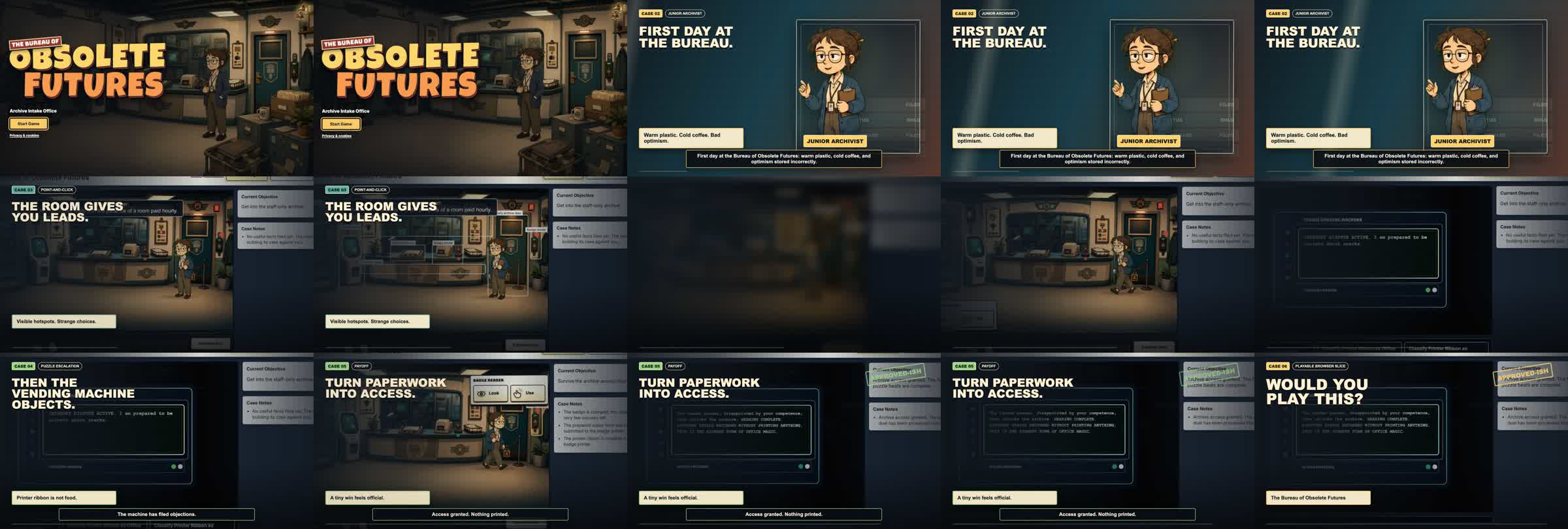
Contact sheet
The trailer can be reviewed as a sequence, not only as a final export. This made weak beats and timing issues easier to spot.
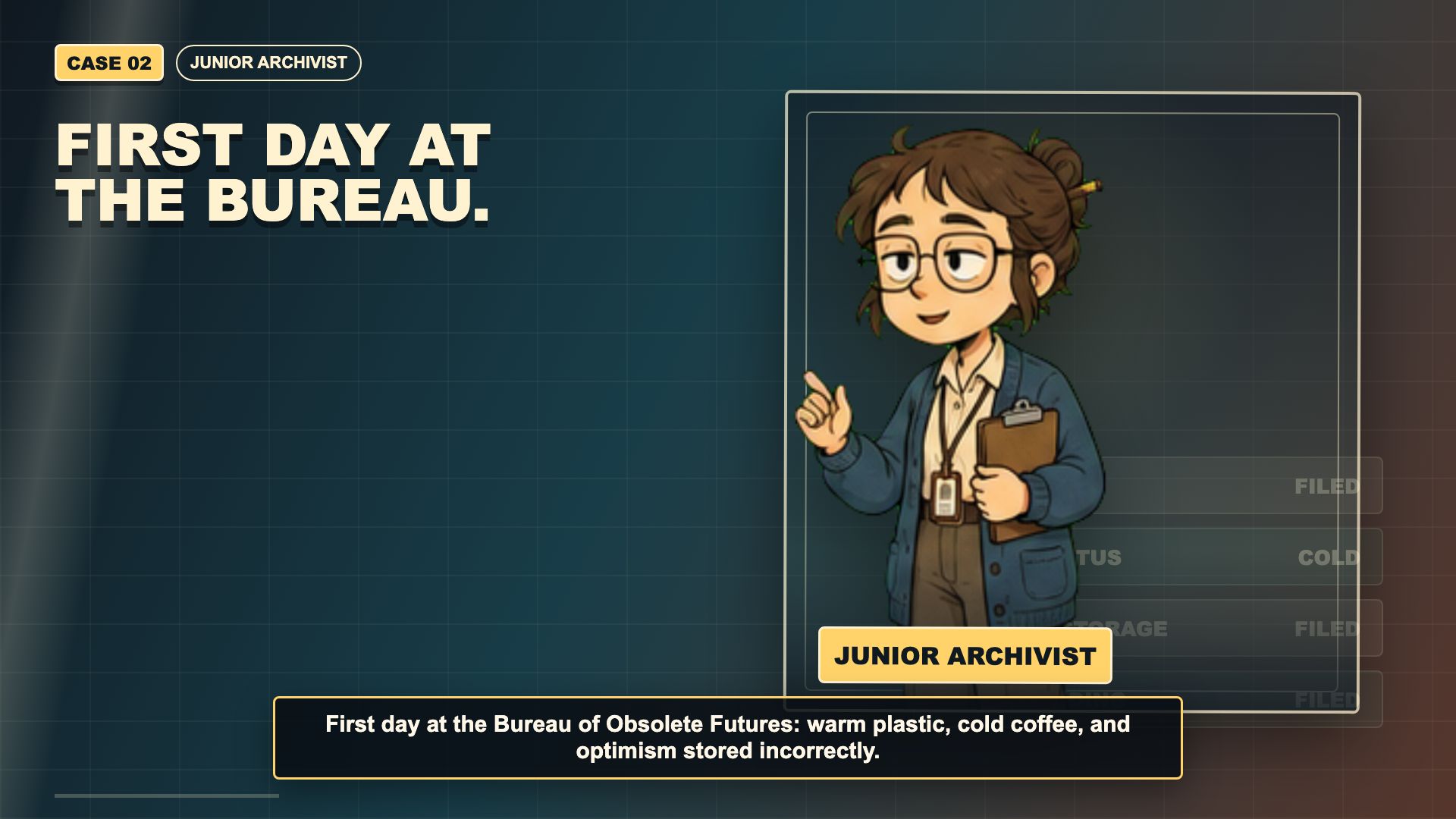
Character hook
The Junior Archivist beat gives the trailer a human way into the Bureau premise without needing a long setup.
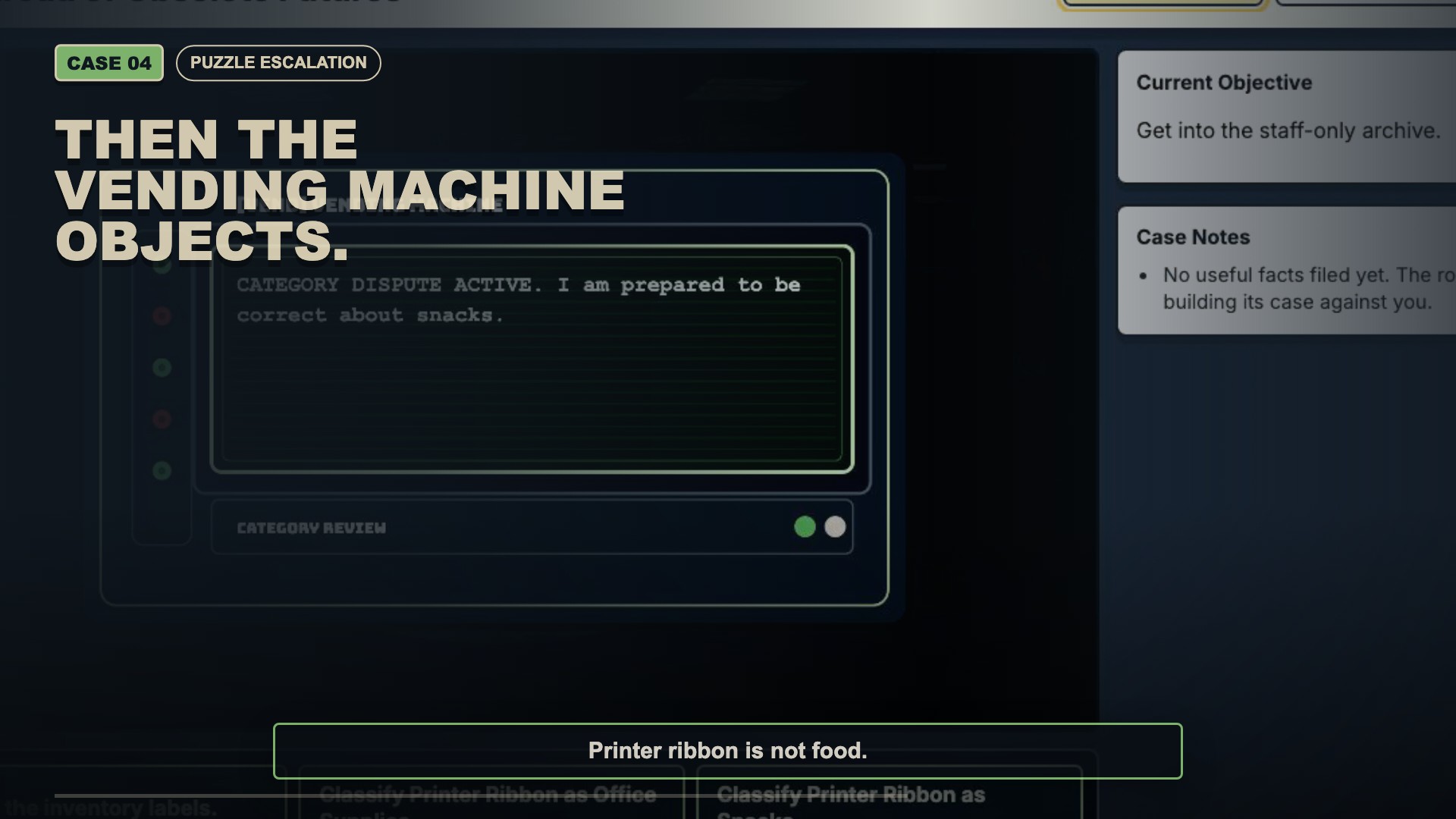
Vending objection
The strongest trailer beat shows tone, puzzle logic and interface state in one compact moment.

Waveform review
Audio timing was treated as part of the production loop, alongside visual frame checks and render variants.
What This Proves
A project aware agent can turn local context into reviewable media work without a fresh rebrief at every step. It can regenerate clips, rerender variants and leave evidence for the next decision.
What It Does Not Prove Yet
A good trailer does not prove the puzzle is fair, funny or worth expanding. That still needs real people, recorded feedback and a decision about whether Archive Intake earns the next room.
What Changed In The Work
Codex was useful because it could move across the whole production surface: brand voice, scope rules, shot list, copy, image and asset handling, capture scripts, Remotion composition, output variants, local commands, validation checks, skills, MCP/tool access and publication notes.
That is the bigger lesson for AI work. The value is not a single impressive asset. It is the connected path from idea, to working artefact, to evidence, to the next useful decision. For teams, that means less time rebuilding context and more time testing whether the work deserves to move forward.
Build Context
TypeScript, Phaser, Vite and the current gameplay state stayed visible to the trailer workflow.
Production Context
Remotion compositions, render scripts, still checks and timing reviews lived beside the project notes.
Decision Context
The article keeps the language to playable slice, closed validation and real feedback still needed.

The Useful Lesson
The trailer is the visible output. The useful lesson is the production system behind it: a project aware agent could plan, capture, assemble, review and document the work while I came back in for judgement and public decisions.